Introduction
This vignette reproduces the analysis workflow described in the BioThermR manuscript. It demonstrates how to process, visualize, and analyze thermal imaging data from a mouse cold exposure experiment (Normal Diet “ND” vs. Cold Exposed “ND4”).
⚠️ Important Note: Data Availability
The complete dataset used in this case study (30 raw thermal
images) is exclusively hosted in the GitHub
version of this package due to size constraints. If you
installed BioThermR from CRAN, you might miss these files.
To fully reproduce the results below, please ensure you have installed
the full package from GitHub:
# Install the full version with data from GitHub
if (!require("devtools")) install.packages("devtools")
devtools::install_github("RightSZ/BioThermR")
1. Setup and Installation
First, ensure all dependencies are installed.
# Install dependencies
if (!require("BiocManager", quietly = TRUE))
  install.packages("BiocManager")
BiocManager::install("EBImage")
Load the necessary libraries.
2. Data Loading & Segmentation
# 1. Get the path to the 30 images included with the package
data_folder <- system.file("extdata", package = "BioThermR")

# 2. Read using the batch reading function
obj_list <- read_thermal_batch(data_folder)
length(obj_list)
#> [1] 30

# 3. Use the lapply function to batch call roi_segment_ebimage for segmentation
# Otsu's method is used by default
obj_list <- lapply(obj_list, roi_segment_ebimage)
3. Visualization
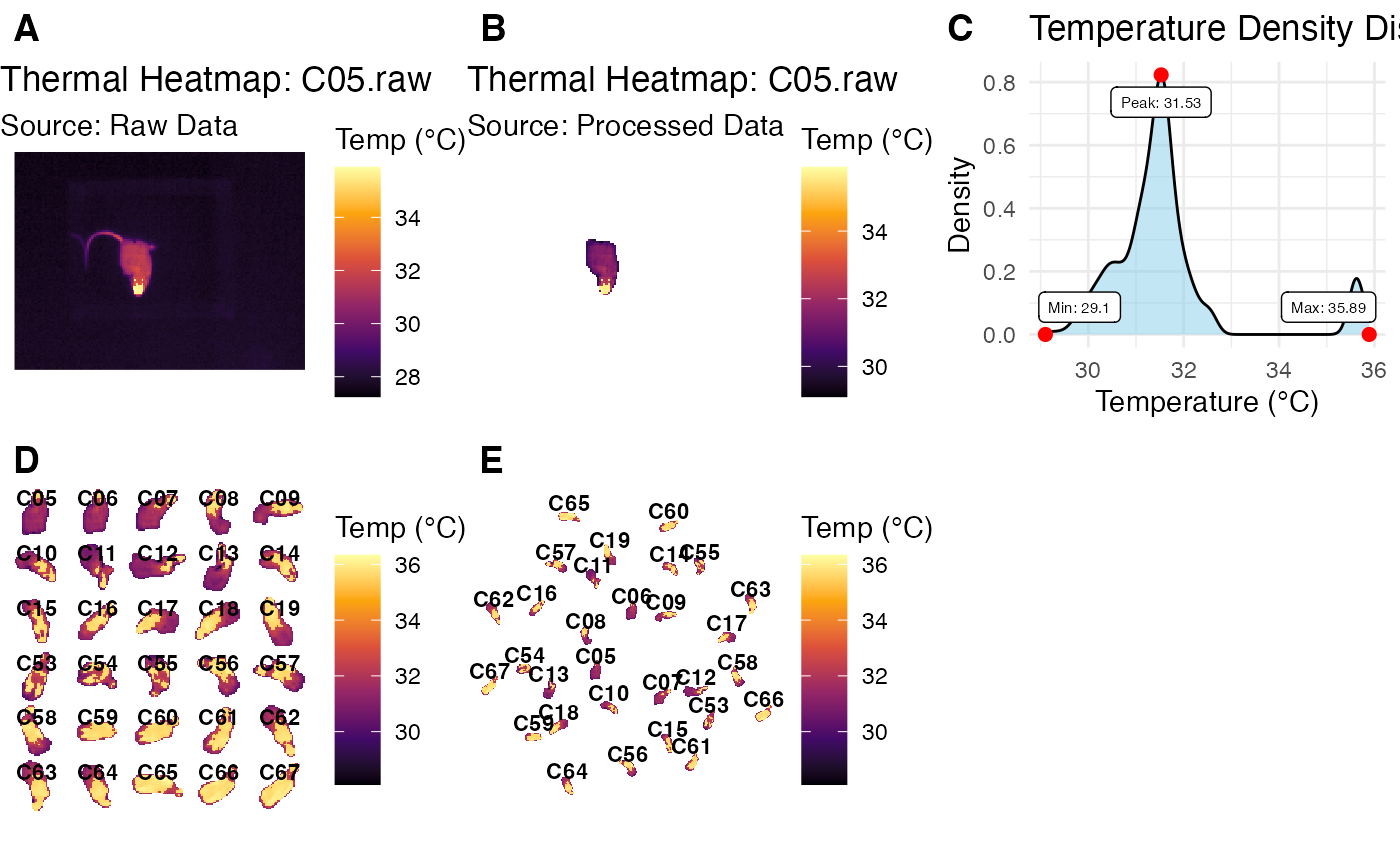
Visualize the entire dataset
# Display the thermal heatmap of one BioThermR object
p1 <- plot_thermal_heatmap(obj_list[[1]], use_processed = FALSE)
p1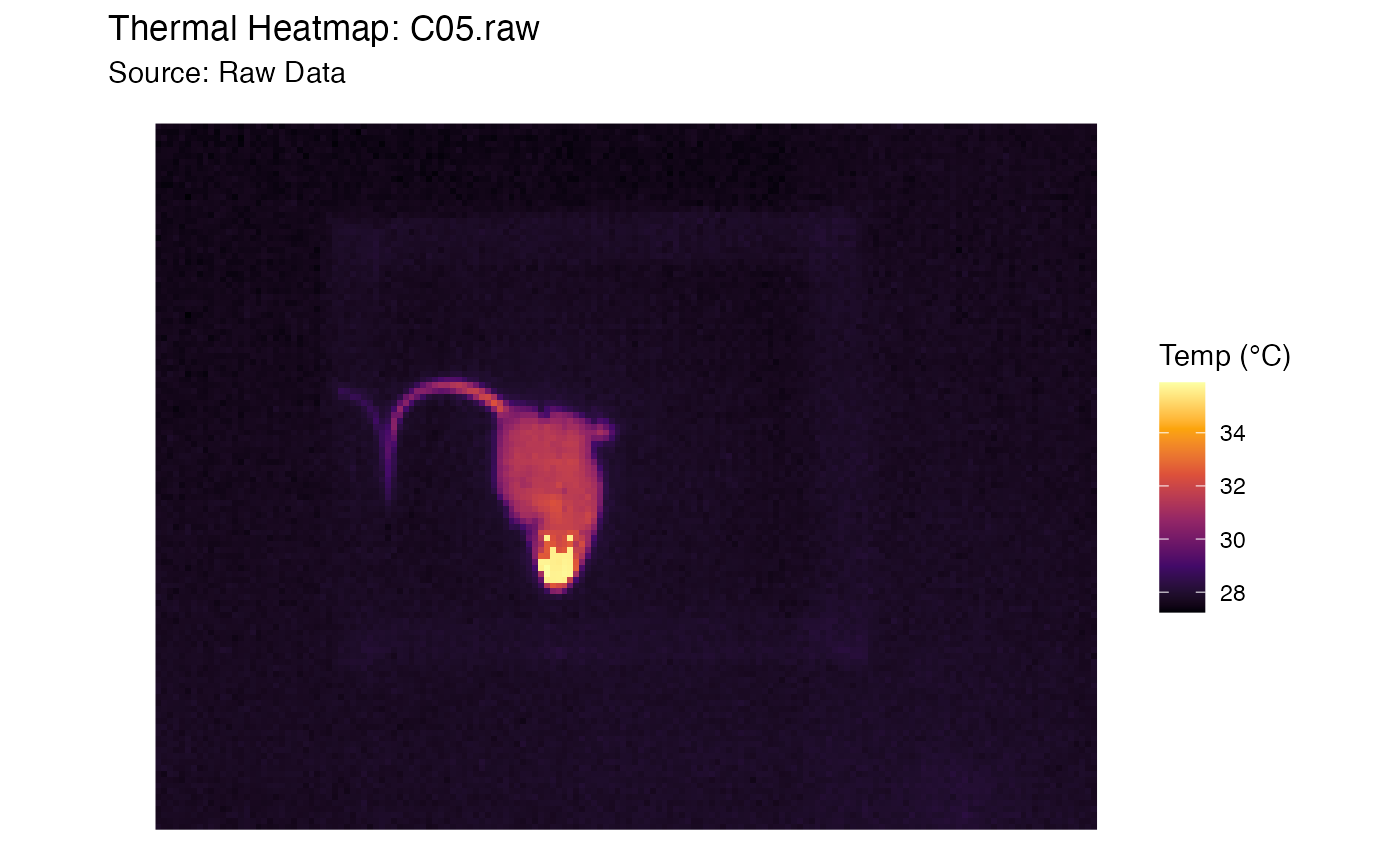
# Display the segmented image of one BioThermR object
p2 <- plot_thermal_heatmap(obj_list[[1]], use_processed = TRUE)
p2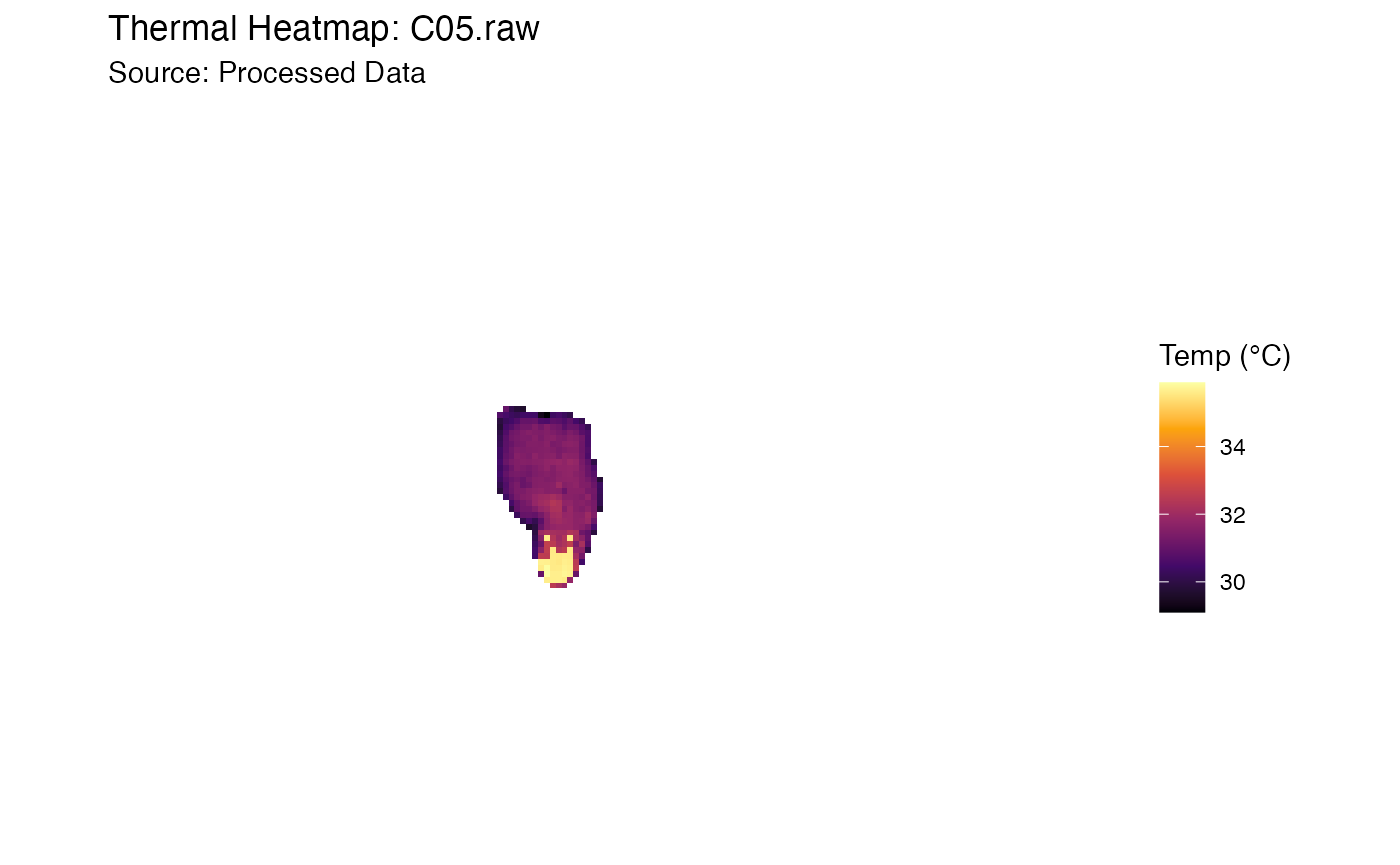
# Display the 3d image of one segmented BioThermR object
plot_thermal_3d(obj_list[[1]])
# Display the ROI density plot of one BioThermR object
p3 <- plot_thermal_density(obj_list[[1]])
p3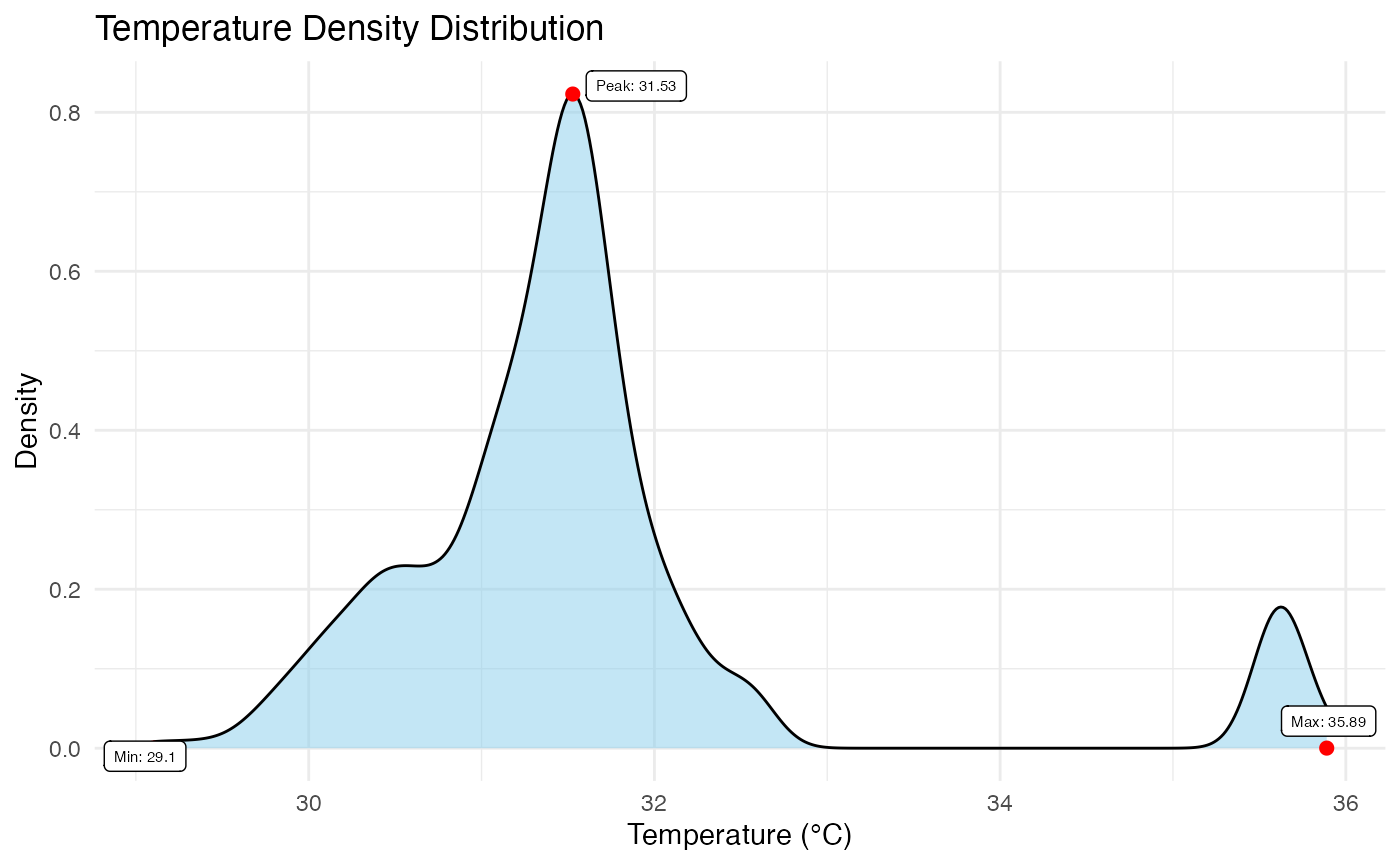
# Display the overall display montage plot
p4 <- plot_thermal_montage(obj_list, ncol = 5, padding = 2, text_size = 3)
p4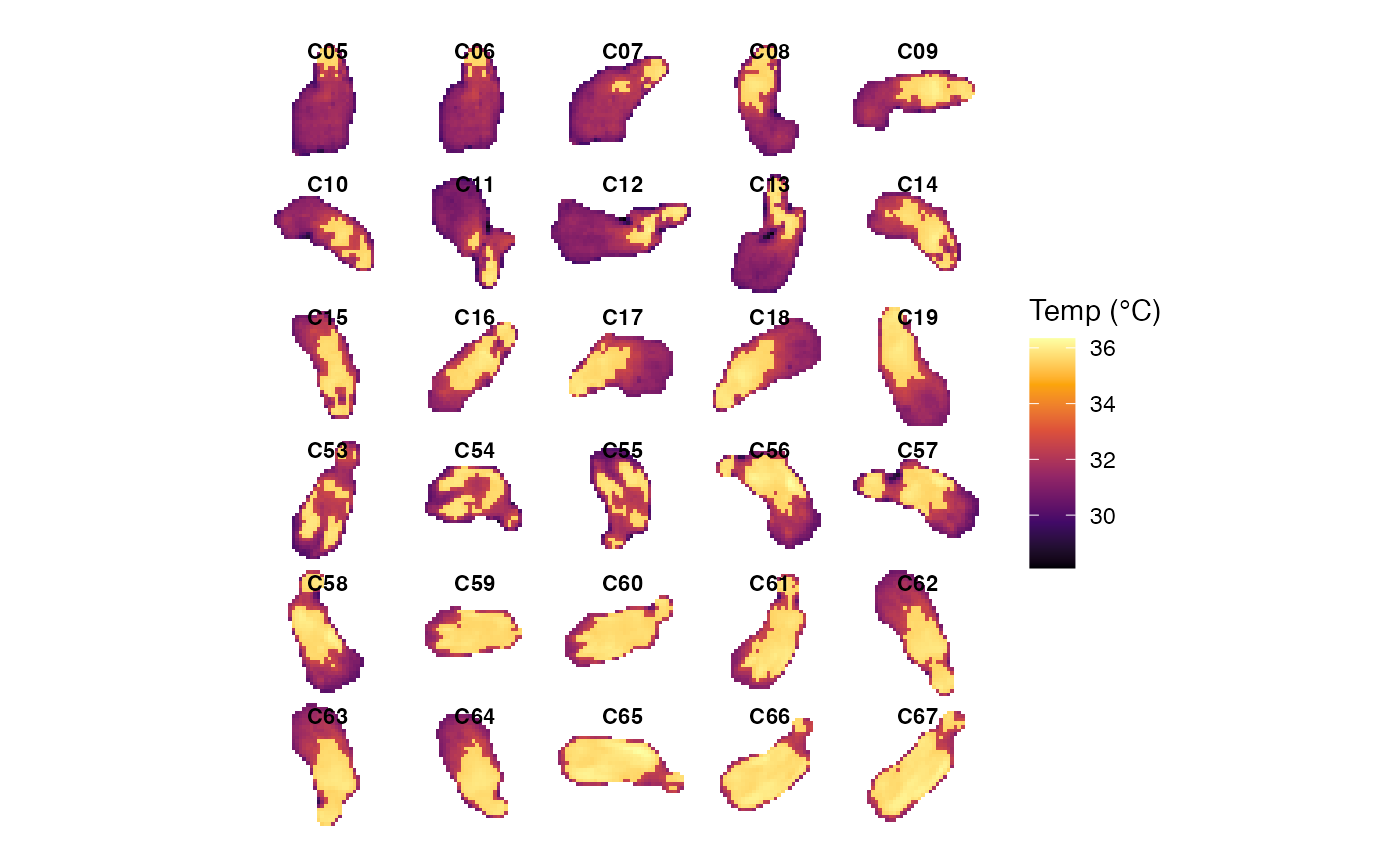
# Display the overall display cloud plot
p5 <- plot_thermal_cloud(obj_list)
p5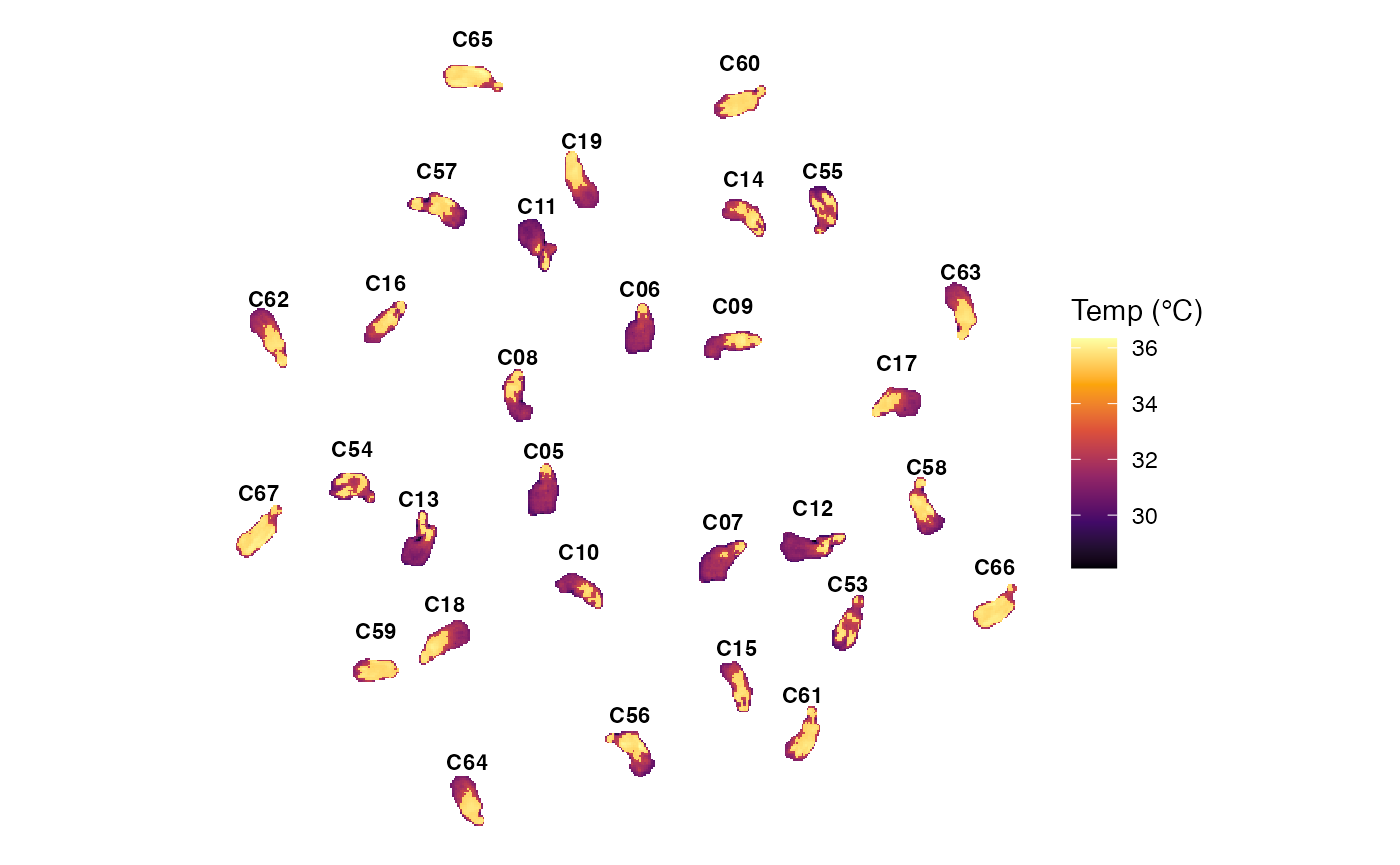
4. Statistical Extraction & Compilation
Extract temperature metrics from all images and merge them with clinical grouping data.
# Batch calculate statistics for each BioThermR object
obj_list <- lapply(obj_list, analyze_thermal_stats)

# Compile statistics into a data frame
df <- compile_batch_stats(obj_list)

# Read grouping data and merge
pd_path <- system.file("extdata", "group.csv", package = "BioThermR")
pd <- read.csv(pd_path)
df <- merge_clinical_data(df,pd)

# Aggregate technical replicates (e.g., 3 photos per mouse)
df_new <- aggregate_replicates(df,
                               method = "mean", # use mean method
                               id_col = "Sample", # merge by sample
                               keep_cols = c("Group")
                               )
head(df_new)
#>   Sample Group n_replicates   Pixels      Min      Max     Mean   Median
#> 1   ND_1    ND            3 402.6667 29.36788 35.87173 31.70707 31.55465
#> 2   ND_2    ND            3 341.6667 29.19874 35.92883 32.68671 31.84397
#> 3   ND_3    ND            3 418.0000 28.18887 36.03918 31.75590 31.25142
#> 4   ND_4    ND            3 325.0000 30.37368 35.99798 33.32450 32.42096
#> 5   ND_5    ND            3 407.0000 30.59082 35.99695 33.13636 32.18157
#> 6  ND4_1   ND4            3 355.3333 29.27191 35.91896 32.84147 32.21257
#>         SD      Q25      Q75       IQR         CV Peak_Density Weight Glucose
#> 1 1.311257 31.07301 31.86817 0.7951624 0.04135084     31.62128   22.1    5.69
#> 2 1.970498 31.29252 34.58603 3.2935144 0.06027172     31.48556   21.4    8.19
#> 3 1.650999 30.87554 31.98214 1.1066006 0.05197942     31.09829   23.3    4.70
#> 4 1.981652 31.73361 35.63418 3.9005693 0.05946340     33.24354   20.3    6.46
#> 5 1.982310 31.48953 35.62859 4.1390597 0.05982208     31.63697   24.9    4.49
#> 6 1.994384 31.38211 35.57433 4.1922170 0.06072339     32.02256   30.0    3.13
#>   Rep
#> 1   2
#> 2   2
#> 3   2
#> 4   2
#> 5   2
#> 6   2
5. Statistical Comparison
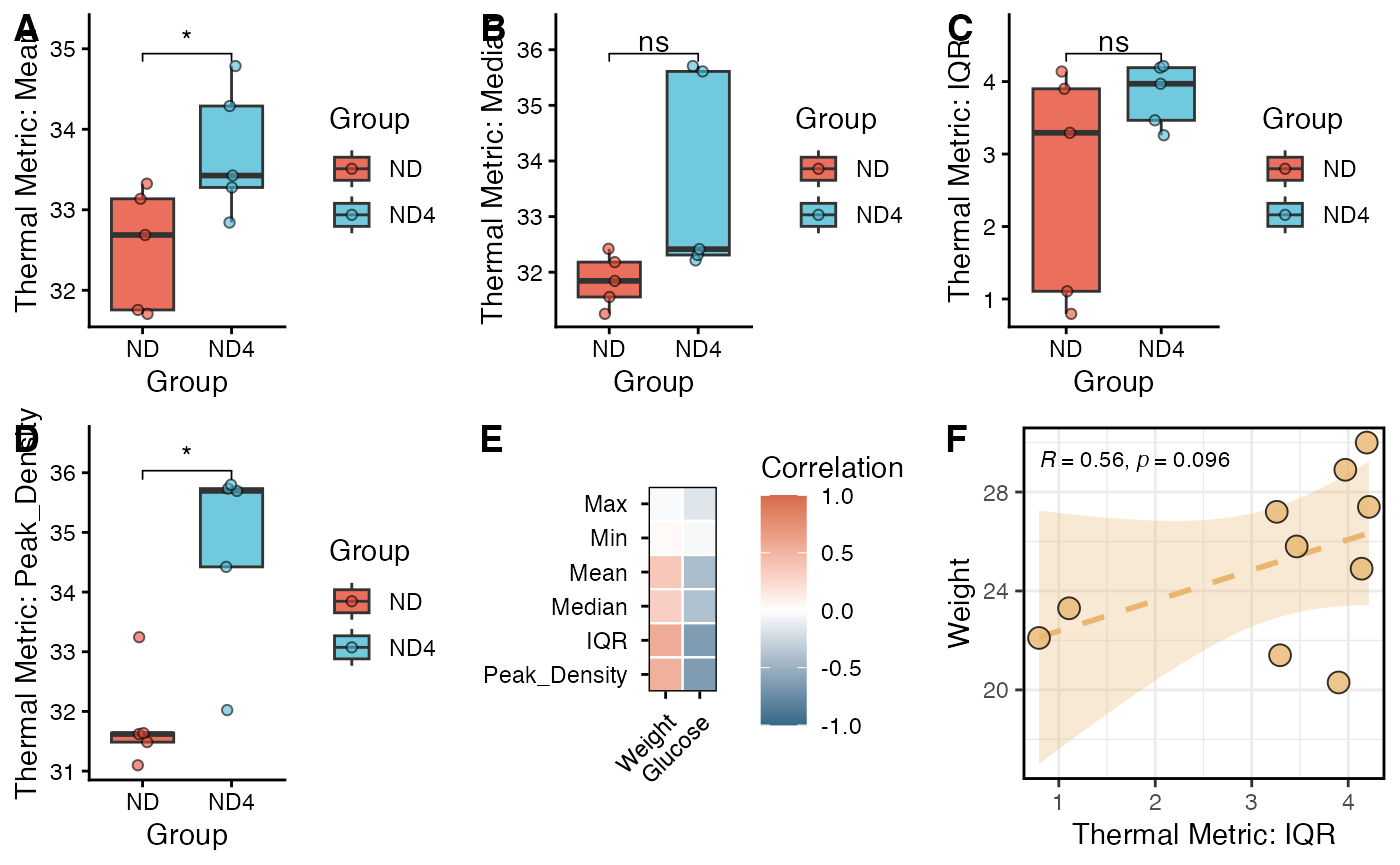
Finally, we compare the thermal metrics between the ND and ND4 groups.
# Display grouping data plots, grouped by Group
my_comparisons <- list( c("ND4", "ND"))
# Mean
s1 <- viz_thermal_boxplot(data = df_new,
                          y_var = "Mean",
                          x_var = "Group") +
  ggpubr::stat_compare_means(comparisons = my_comparisons,
                             method = "t.test",
                             label = "p.signif",
                             hide.ns = FALSE
                             )

# Median
s2 <- viz_thermal_boxplot(data = df_new,
                          y_var = "Median",
                          x_var = "Group")+
  ggpubr::stat_compare_means(comparisons = my_comparisons,
                             method = "t.test",
                             label = "p.signif",
                             hide.ns = FALSE
  )

# IQR
s3 <- viz_thermal_boxplot(data = df_new,
                          y_var = "IQR",
                          x_var = "Group")+
  ggpubr::stat_compare_means(comparisons = my_comparisons,
                             method = "t.test",
                             label = "p.signif",
                             hide.ns = FALSE
  )
# Peak Density
s4 <- viz_thermal_boxplot(data = df_new,
                          y_var = "Peak_Density",
                          x_var = "Group")+
  ggpubr::stat_compare_means(comparisons = my_comparisons,
                             method = "t.test",
                             label = "p.signif",
                             hide.ns = FALSE
  )
6. Correlation Analysis
Here, we further demonstrate how BioThermR can be used for downstream integrative analysis by correlating thermography-derived features with external phenotypic variables.
# In this example, selected thermal metrics are tested against body weight and blood glucose using Spearman correlation. The results are visualized as a correlation heatmap and a representative scatter plot.
res <- correlate_thermal_traits(
  df_new,
  thermal_vars =  c("Max","Min","Mean","Median","IQR","Peak_Density"),
  external_vars = c("Weight","Glucose"),
  method = "spearman")

# Correlation heatmap summarizing the associations between thermal metrics and external traits.
s5 <- viz_cor_heatmap(res)

# Representative scatter plot illustrating the relationship between one selected thermal feature (IQR) and an external trait (Weight).
s6 <- viz_cor_scatter(df_new,
                x_col = "IQR",
                x_label = "Thermal Metric: IQR",
                y_col = "Weight"
                )